มอสโก › ตะวันออก
 มอสโก, ประเทศรัสเซีย
Real-Time Environment
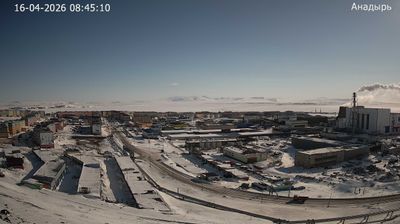
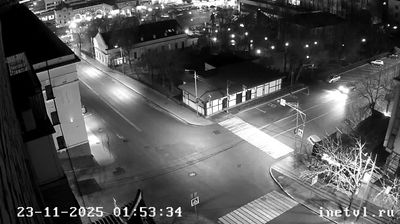
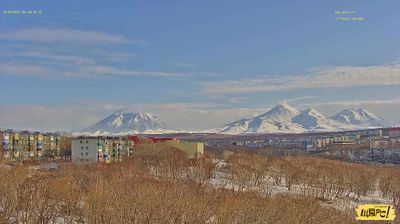
Welcome to the live streaming webcam for มอสโก › ตะวันออก, perfectly situated in the vibrant region of มอสโก, ประเทศรัสเซีย. Watching this live camera allows you to instantly experience the local atmosphere and monitor current climate conditions.

About มอสโก
มอสโก เป็นเมืองหลวงและเมืองใหญ่ที่สุดของประเทศรัสเซีย นครแห่งนี้ตั้งอยู่ริมแม่น้ำมอสควาในพื้นที่ทางตอนกลางของรัสเซียตะวันตก มีประชากรประมาณ 13 ล้านคนในเขตนครจำกัด แต่ถ้านับรวมพื้นที่เขตเมืองเข้าไปด้วยแล้ว จะมีประชากรถึง 19.1 ล้านคน และถ้านับรวมพื้นที่ปริมณฑลด้วยแล้ว จะมีประชากรทั้งสิ้น 21.5 ล้านคน ตัวนครมีพื้นที่ 2,511 ตารางกิโลเมตร หากนับรวมเขตเมืองจะมีพื้นที่ 5,891 ตารางกิโลเมตร และเมื่อรวมปริมณฑล จะมีพื้นที่ 26,000 ตารางกิโลเมตร มอสโกเป็นหนึ่งในนครที่ใหญ่ที่สุดในโลก นครที่มีประชากรมากที่สุดในทวีปยุโรป เขตเมืองที่มีประชากรมากที่สุดในทวีปยุโรป และเขตปริมณฑลที่มีประชากรมากที่สุดในทวีปยุโรป นอกจากนี้ ยังเป็นนครที่มีพื้นที่มากที่สุดในทวีปยุโรป
📖 Read more on Wikipedia📍 Location Facts
-
Country
 ประเทศรัสเซีย
- Region Москва
- City มอสโก
- Coordinates 55.7487°N, 37.7036°E
Have you been to มอสโก?
Help the community! Share your experience, tell us about the weather, or upload your own photos from this exact location.