Kraków
 Kraków, ประเทศโปแลนด์
Real-Time Environment
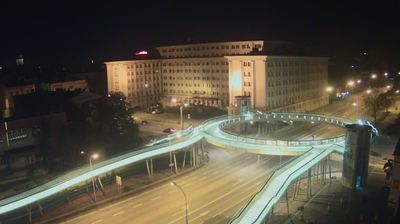
Welcome to the live streaming webcam for Kraków, perfectly situated in the vibrant region of Kraków, ประเทศโปแลนด์. Watching this live camera allows you to instantly experience the local atmosphere and monitor current climate conditions.

About กรากุฟ
กรากุฟ หรือ คราเคา เป็นหนึ่งในเมืองที่ใหญ่ที่สุดเป็นอันดับสองและเก่าแก่ที่สุดในโปแลนด์และเป็นจุดหมายปลายทางที่นิยมของนักท่องเที่ยวเขตเมืองเก่าได้รับการบรรจุอยู่ในรายชื่อแหล่งมรดกโลก เมืองตั้งอยู่ริมฝั่งแม่น้ำวิสตูลาในจังหวัดมาวอปอลสกา (เลสเซอร์โปแลนด์) เมืองมีที่มาตั้งแต่ในคริสต์ศตวรรษที่ 7 กรากุฟเป็นหนึ่งในเมืองศูนย์กลางชั้นนำอย่างมีแบบแผนของสถาบันการศึกษาโปแลนด์ วัฒนธรรมและชีวิตศิลปะ และยังเป็นหนึ่งเมืองศูนย์กลางสำคัญด้านธุรกิจของโปแลนด์ เป็นเมืองหลวงของโปแลนด์ระหว่างปี ค.ศ. 1038 ถึง ค.ศ. 1596 เป็นเมืองหลวงของแกรนด์ดัชชีกรากุฟระหว่างปี ค.ศ. 1846 ถึง ค.ศ. 1918 และเมืองหลวงของจังหวัดกรากุฟระหว่างคริสต์ศตวรรษที่ 14 ถึงปี ค.ศ. 1999 และปัจจุบันเป็นเมืองหลักของจังหวัดมาวอปอลสกา
📖 Read more on Wikipedia📍 Location Facts
-
Country
 ประเทศโปแลนด์
- Region województwo małopolskie
- City Kraków
- Coordinates 50.0666°N, 19.9598°E
Have you been to Kraków?
Help the community! Share your experience, tell us about the weather, or upload your own photos from this exact location.