Flag of หมู่เกาะเติร์กและไคคอส

Live Webcams in หมู่เกาะเติร์กและไคคอส

Welcome to the live directory for หมู่เกาะเติร์กและไคคอส. Browse the latest streams below, filter by category, or select a specific region to find local weather, traffic, and panoramic views.

Latest Cameras in หมู่เกาะเติร์กและไคคอส
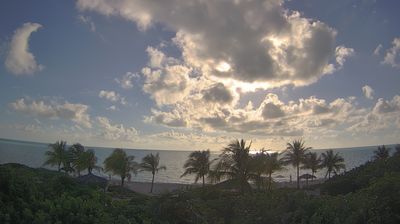

Why Visit หมู่เกาะเติร์กและไคคอส Virtually?

Planning a trip to หมู่เกาะเติร์กและไคคอส? Or maybe you just miss home? Our curated list of live streams provides high-quality views of the local regions and cities. Check the live weather, see what locals are up to, and enjoy the beautiful views 24/7.


หมู่เกาะเติกส์และเคคอส

About หมู่เกาะเติกส์และเคคอส

หมู่เกาะเติกส์และเคคอส เป็นอาณานิคมโพ้นทะเลของสหราชอาณาจักรประกอบไปด้วยหมู่เกาะย่อยในเขตร้อน 2 หมู่เกาะ ได้แก่ หมู่เกาะเคคอสและหมู่เกาะเติกส์ อาณานิคมนี้ตั้งอยู่ในทะเลแคริบเบียน และมีชื่อเสียงในด้านสถานที่ท่องเที่ยวและเป็นแหล่งหลบเลี่ยงภาษีของบริษัทต่างชาติ หมู่เกาะนี้อยู่ห่างจากเมืองไมแอมี รัฐฟลอริดาของสหรัฐอเมริกาไปทางตะวันออกเฉียงใต้ 970 กม. และอยู่ห่างจากหมู่เกาะบาฮามาสไปทางตะวันออกเฉียงใต้ 80 กม. มีพื้นที่ทั้งหมด 430 ตร.กม. ตามจริงแล้ว อาณาเขตของหมู่เกาะเติกส์และเคคอสกับหมู่เกาะบาฮามาสถือว่าต่อเนื่องกันในทางภูมิศาสตร์ แต่อาณาเขตทางการเมืองนั้นมีการแยกออกจากกันอย่างชัดเจน

📖 Read more on Wikipedia

Frequently Asked Questions

Webcam.beer is a premium global directory of live streaming webcams. We curate and index thousands of real-time cameras from around the world, allowing you to instantly check weather conditions, explore famous tourist spots, view city traffic, and discover beautiful landscapes all in one place.

Yes! The vast majority of the cameras in our network are real-time, live video streams. Some remote or scientific cameras may provide frequently updated high-resolution imagery due to bandwidth constraints in those specific locations.

Absolutely. Browsing, watching, and exploring the webcams on our platform is 100% free. You do not need to pay or create an account to view the live streams.

We love community contributions! You can easily submit a live stream by clicking the 'Add Cam' button in the main menu. Once submitted, our moderation team will review the camera to ensure it meets our quality and safety guidelines before it goes live on the platform.