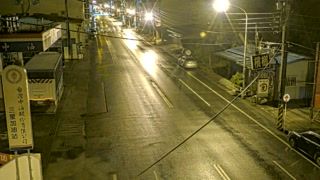
ซินเป่ย์ › เหนือ: Danjin Road
 ซินเป่ย์, ประเทศไต้หวัน
Real-Time Environment
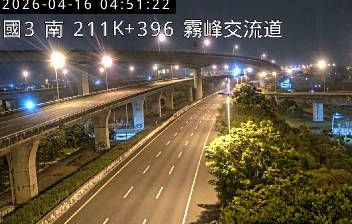
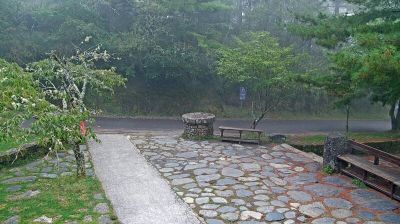
Welcome to the live streaming webcam for ซินเป่ย์ › เหนือ: Danjin Road, perfectly situated in the vibrant region of ซินเป่ย์, ประเทศไต้หวัน. Watching this live camera allows you to instantly experience the local atmosphere and monitor current climate conditions.

About นิวไทเป
นครซินเป่ย์ หรือ นครไทเปใหม่ เป็นนครปกครองโดยตรงแห่งหนึ่งทางภาคเหนือของประเทศไต้หวัน เมืองนี้มีที่ตั้งติดแนวชายฝั่งทางทิศเหนือของเกาะและล้อมรอบแอ่งไทเป นครซินเป่ย์เป็นนครปกครองโดยตรงที่มีเนื้อที่ใหญ่เป็นอันดับสองรองจากนครเกาสฺยง มีอาณาเขตทางทิศตะวันออกเฉียงเหนือติดกับนครจีหลง ทิศตะวันออกเฉียงใต้ติดกับเทศมณฑลอี๋หลาน ทิศตะวันตกเฉียงใต้ติดกับนครเถาหยวน และมีอาณาเขตโอบล้อมนครไทเปโดยสมบูรณ์ ศูนย์กลางการปกครองอยู่ที่เขตปั่นเฉียว ซึ่งเป็นพื้นที่การค้าที่ใหญ่ที่สุดด้วย นครซินเป่ย์เดิมคือ เทศมณฑลไทเป ก่อนที่จะยกฐานะเป็นนครปี 2010
📖 Read more on Wikipedia📍 Location Facts
-
Country
 ประเทศไต้หวัน
- Region ซินเป่ย์
- City ซินเป่ย์
- Coordinates 25.1586°N, 121.4579°E
Have you been to ซินเป่ย์?
Help the community! Share your experience, tell us about the weather, or upload your own photos from this exact location.